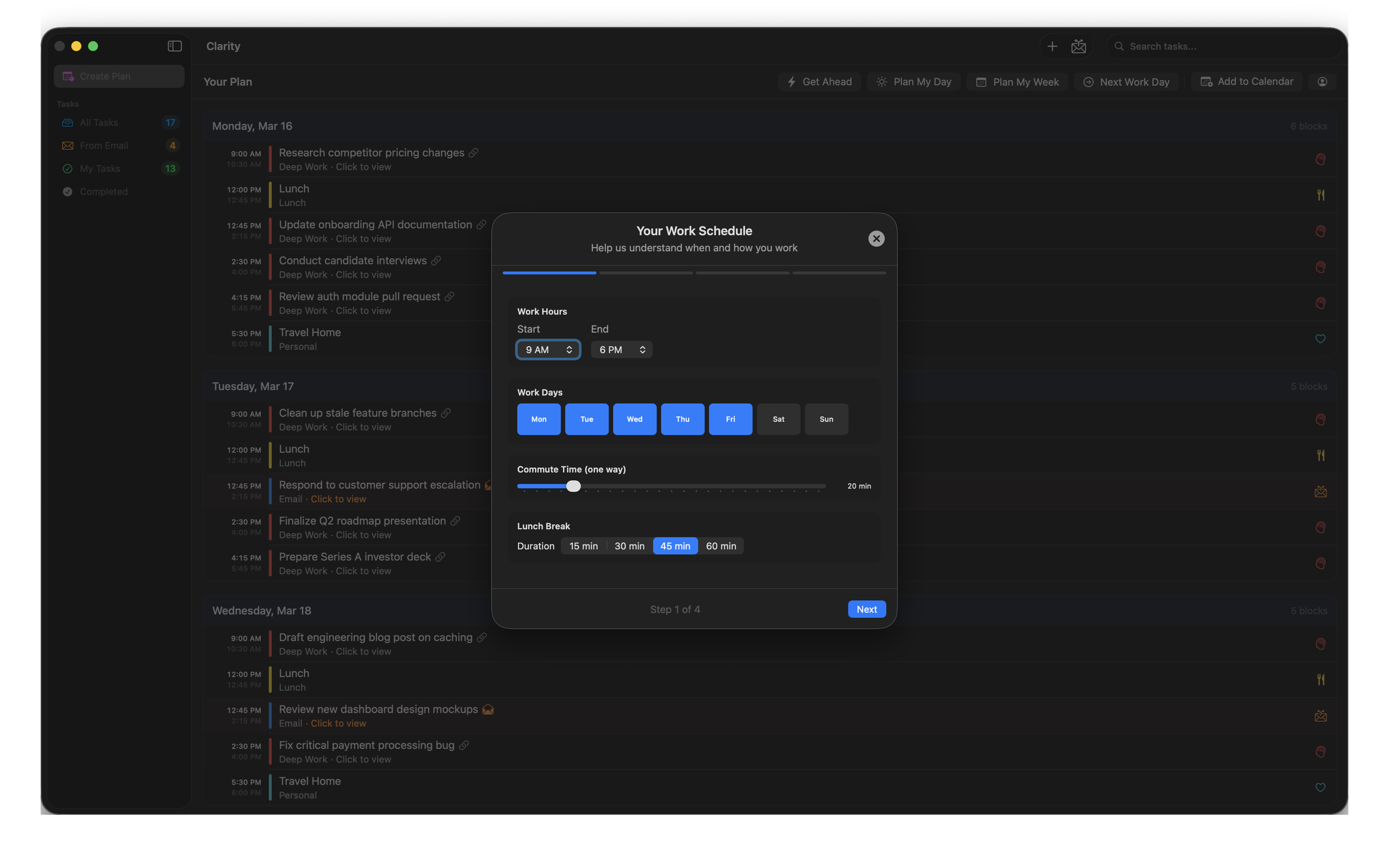
Clarity reads your unread email, pulls out what needs action, and builds a realistic time-blocked schedule — one that accounts for your work habits, your personal commitments, and your life outside the office.
Download on the Mac App Store
Most planners only know about your calendar. Clarity starts from your inbox and your life.
Link Mail.app, Gmail, or Outlook. Clarity reads your unread email and extracts what actually needs a response or action.
Set your work hours, peak energy window, commute, exercise, family commitments, and how you want to balance work and personal time.
Clarity generates a time-blocked daily or weekly plan that fits everything — tasks, email follow-ups, breaks, and your personal commitments.
Export the plan directly to macOS Calendar with color-coded activity blocks. Your day, laid out and ready to go.
Connect one or more email accounts. Clarity reads unread messages and surfaces what needs your attention.
Choose from Work-focused, Balanced, Life-focused, or Recovery. Your plan reflects your priorities, not just your workload.
Powered by Claude, ChatGPT, or Apple Intelligence. Understands context, urgency, and realistic task durations.
Push your plan to macOS Calendar as color-coded time blocks. Works with iCloud so it syncs to all your devices.
Add standing commitments — gym, school pickup, standup — and Clarity plans around them automatically.
Add tasks by hand with priority levels and schedules. Everything lives in one place alongside your email-sourced items.
Clarity doesn't require an account and collects no telemetry — there is no server on our end at all. An internet connection is needed to fetch your email, but the AI processing — reading, summarizing, and planning — can happen entirely on your device using Apple Intelligence. If you prefer a cloud model, bring your own API key from Anthropic or OpenAI. Your data goes directly to them and never passes through us.